Case study
Giving bees a voice
with BeeTrack
Giving bees a voice
with BeeTrack
Giving bees a voice
with BeeTrack
Giving bees a voice
with BeeTrack

Using precision beekeeping technology, Nectar gives bees a voice and helps commercial beekeepers raise thriving colonies and crop growers to optimize their pollination services.
Using precision beekeeping technology, Nectar gives bees a voice and helps commercial beekeepers raise thriving colonies and crop growers to optimize their pollination services.
Migratory beekeepers are dealing with increasing challenges due in large part to harmful pesticide applications. With mortality rates increasing year over year and creating a financial burden to businesses, beekeepers are seeking a solution to identify locations that are most heavily correlated with higher mortality rates amongst their bees. No solution currently exists for commercial beekeeping operations that meets the described need.
Company
Nectar Technologies
Year
July 2020 - Jan 2021
My role
As a Digital Product Designer, I was the lead designer on the project designing both the user experience and interface, writing documentation, and overseeing the design QA testing.
Users & audience
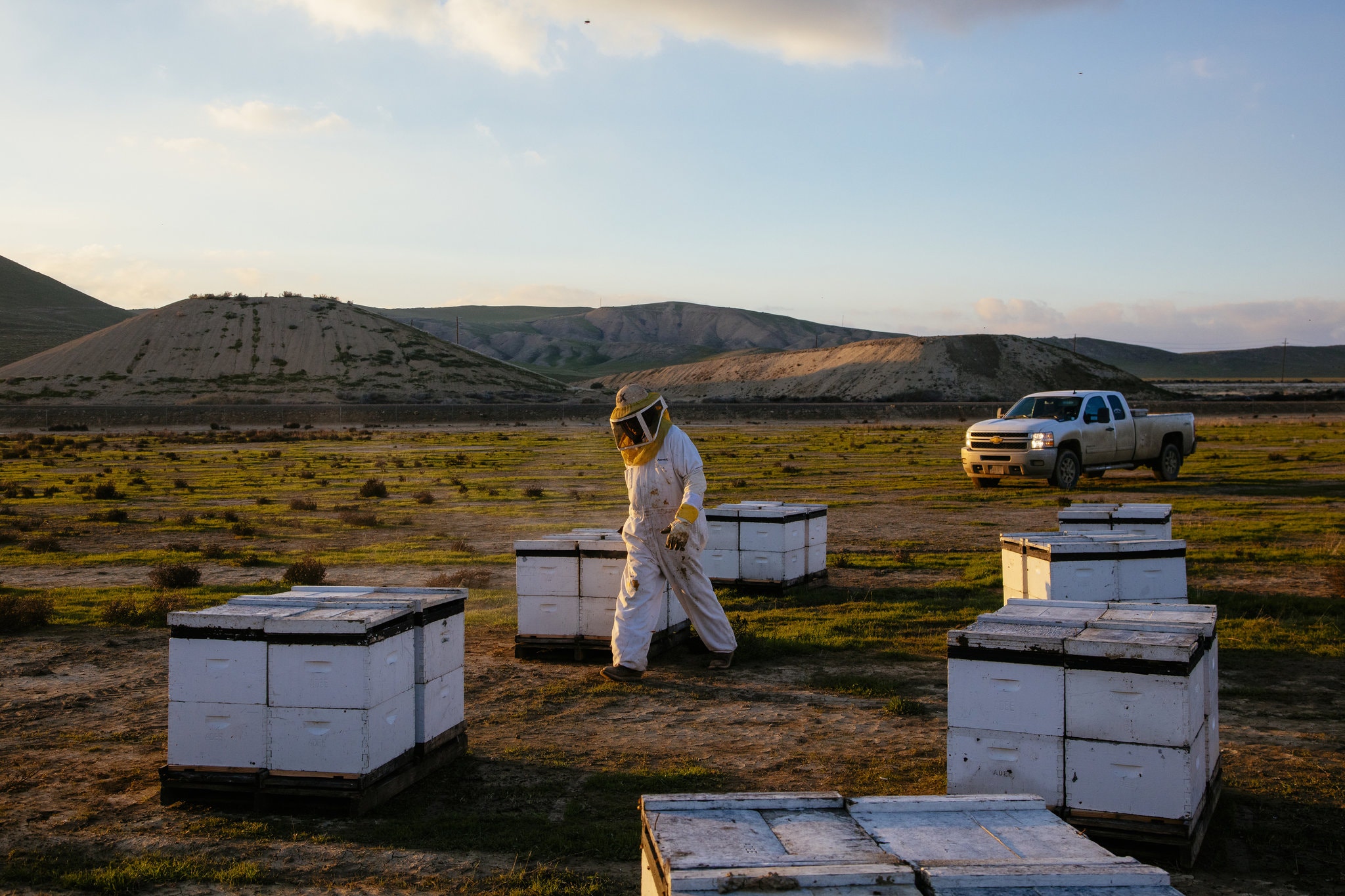
In a typical commercial operation in North America, field workers are hired seasonally from Central and South America and might only speak Spanish or even be illiterate. In their day to day, working with bees involves bee suits, gloves, smokers and other tools. They are currently collecting some high-level data by pen and paper and with BeeTrack, we could make it easy and simple to digitize this process. As a manager, having access to more precise data would give insights on the relationship between location, management practices and mortality rates and enable them make data-driven decisions.
Goals for the project
As a first step, we focused on delivering a first version to test in early 2021 during pollination season with early adopters. Our target release dated was planned for August 2021.
We established 3 principles for our project to ensure its success: low tech, low touch and low cost. Knowing the reality of our users, we wanted to build a solution that was simple, reliable, scalable and inexpensive.
Being in the context of a startup with limited ressources, we made a lot of decisions based on our current knowledge, assumptions and conversations with beekeepers. We took a Lean UX approach to rapidly validate version 1 and later polish.
While the BeeTrack product is a mobile app and a web platform, I will be focusing on the mobile product only.
The solution
A tool designed to collect valuable data.
Step one:
Design Sprint
Step one:
Design Sprint
Step one:
Design Sprint
The whole company was brought together to spend five days for answering critical business questions through design, prototyping and testing ideas. This strategy enabled us to fast-forward the project by taking a shortcut to learn without building and launching.
Day 1
Day 1
We joined remotely to learn about the context, the challenges and the constraints of commercial beekeeping.
Day 2
We split into 3 different teams: data collection, data science and data reporting to dive into idea generation mode.
Day 3
By Wednesday morning, we shared our ideas with our respective teamates and took a decision based on criterion.
Day 4
Each team unfolded their main idea into details to discuss what it would take to build it. From there, our focus was to build a realistic prototype.
Day 5
We validated our solution by presenting to one of our partners, Dr. Brandon Hopkins (assistant apiary research professor at Washington State University).
Data collection team
I was part of the on-field team and our main focus was to design a tool for the apiary worker to collect data of a single hive throughout its lifetime. What we considered as important data to answer the problem were the different GPS locations, data on management practices (feeding, treatment), and the mortality location.
Following our 3 principles, we decided that the best solution would involve a mobile application and NFC tags to identify each hive.
Our solution leverages the fact that a smartphone is already a tool beekeepers use and bring to the apiary. We imagined an app as a technological tool to track each GPS location that a hive visits over its lifetime. By scanning a group of hives, the application automatically creates a yard (or apiary) making it easy to report management practices within a few taps.

First mockups of the protoype put together for creating a new yard by scanning hives.
Step two:
Elaborating the project
After pitching our concept to Dr. Brandon Hopkins and a few beekeepers' partners, we started to get traction around our solution. With the momentum, we decided to find an external agency to develop the first version of the mobile application. As a start, we evaluated that an Android app would be compatible with most apiary workers, and in any case, we could provide phones for our early adopters.
Before jumping into refining the interface, I designed all wireframes and user flows.
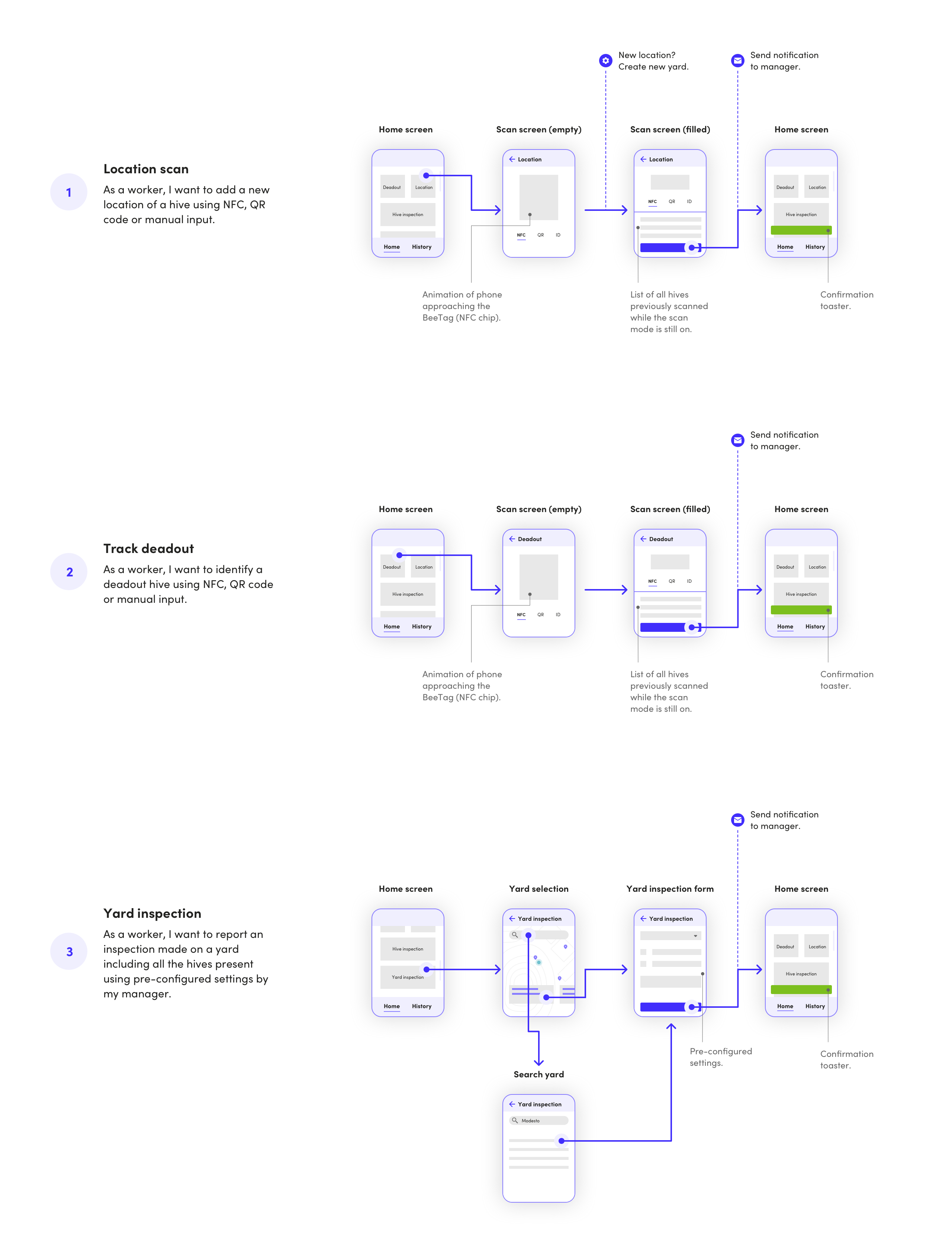
Snapshot of our core userflows: location scan (1), track deadout (2), and report management practices on an entire yard (3).
Step three:
A simple interface
As the only designer assigned to the project, I decided to reuse Material UI components (app bars, shadows, text fields, bottom bars... etc) in my designs to focus more on the user experience. It seemed like a better investment of my time to me for greater impact on the project.
Built exclusively with the beekeeper in mind, my goal was to design an experience that demands the least amount of screen time: low touch.
Additionally, I designed illustrations and icons to ensure the app could easily be understood and used by illiterate apiary workers.
During this process, we constantly looked for feedback with our partners by presenting mockups in video calls, emails and on Slack. It was important for us to avoid any surprises and be aligned before testing on the field.
Onboarding
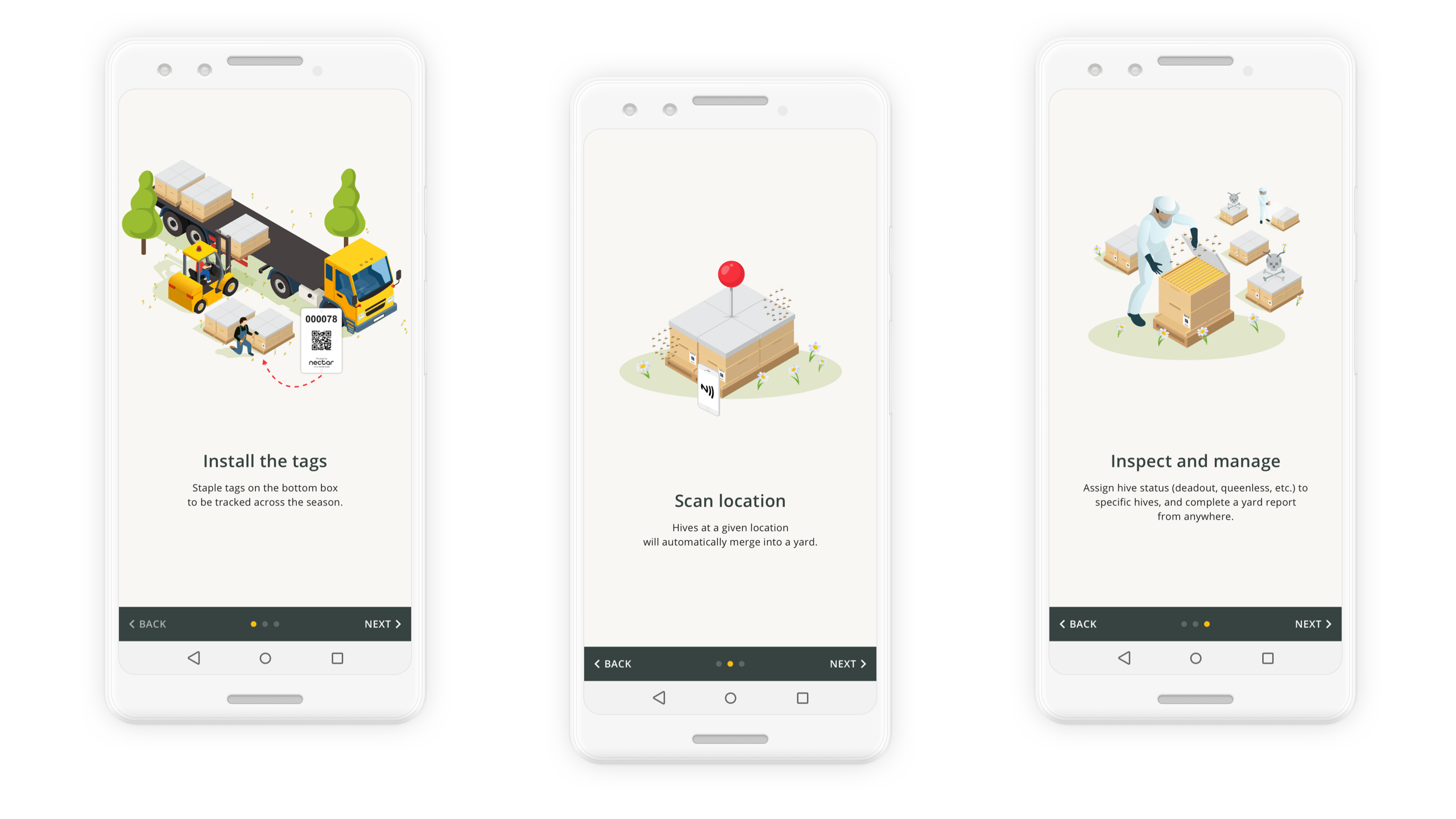
I used this opportunity to remind the apiary worker of the next steps after downloading the app.
Track hives
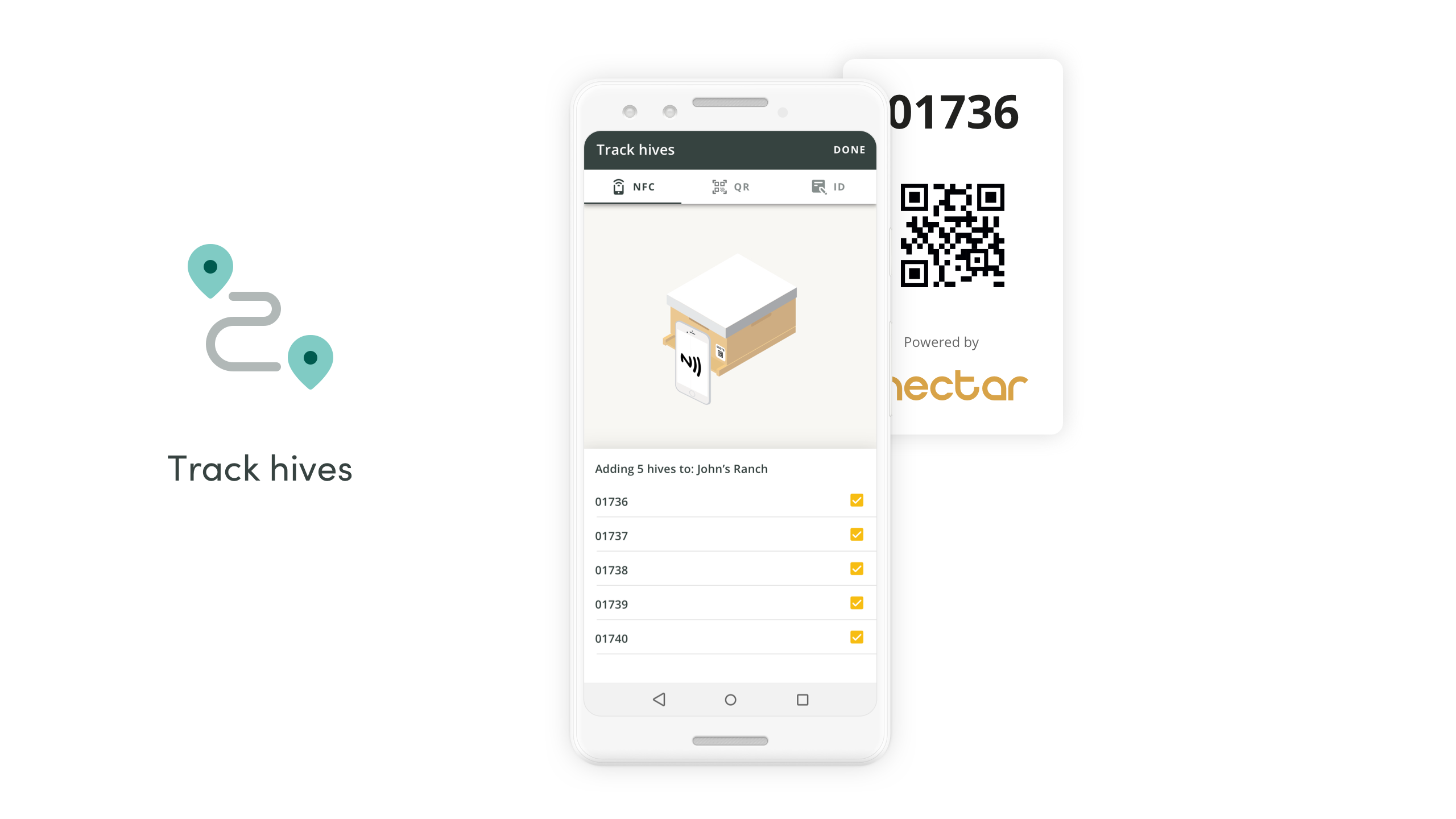
After workers stapled tags on each hive, they will go around the yard to scan each one of them. By default, the scan is set to NFC, with fallback options such as QR scan or manually input the tag number. Once completed, the app will create a new yard with a 45m radius.
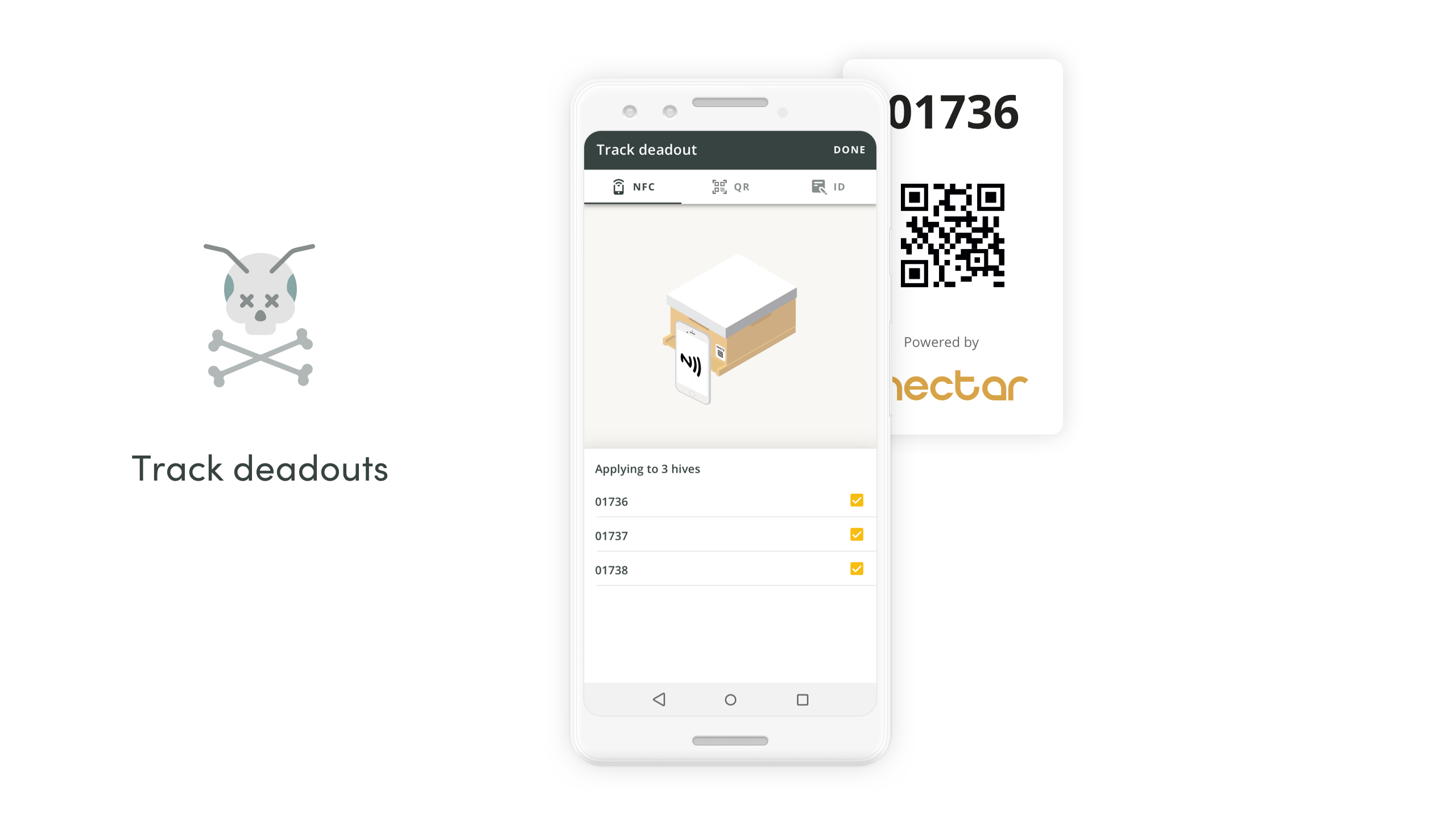
Track deadout
As field workers are doing their tasks, they might happen to run into a dead hive. Depending on operations, they usually put them aside and bring the box back to the shop. Wherever it's at the shop or on the field, with a simple scan, the worker can assign the boxes as deadouts.
Yard inspection report
Yard inspection report
Yard inspection report
After a yard visit, no need to scan individual hives to record an action. The benefit of creating a yard inspection report will automatically apply to hives present at the yard. Within a few taps, a worker can easily record what they performed at a yard-level.

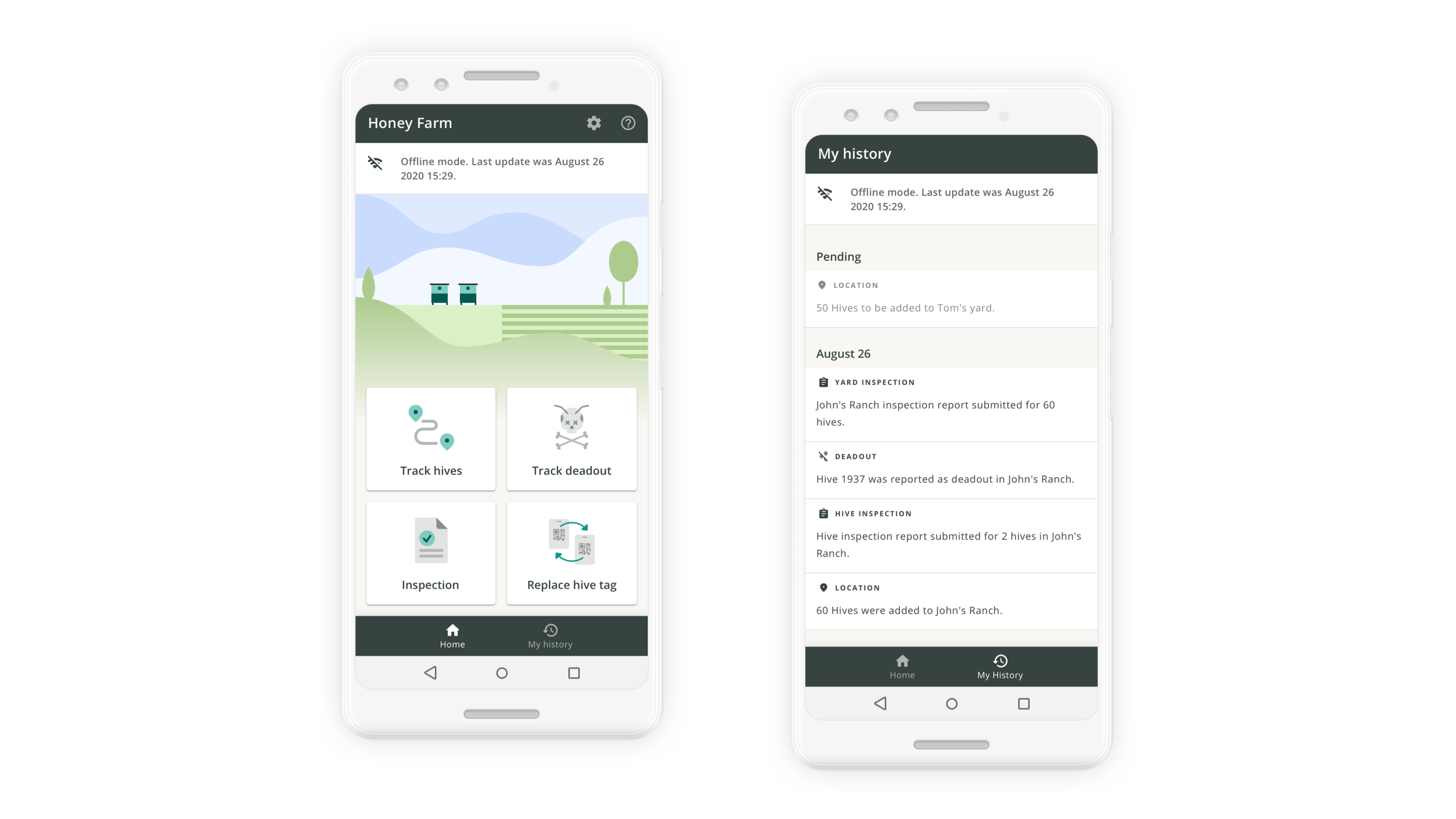
Offline mode
Offline mode
Whether the user has a cellular connection or not, the app will record all actions and upload them once back online.
Final result:
MVP on the play store
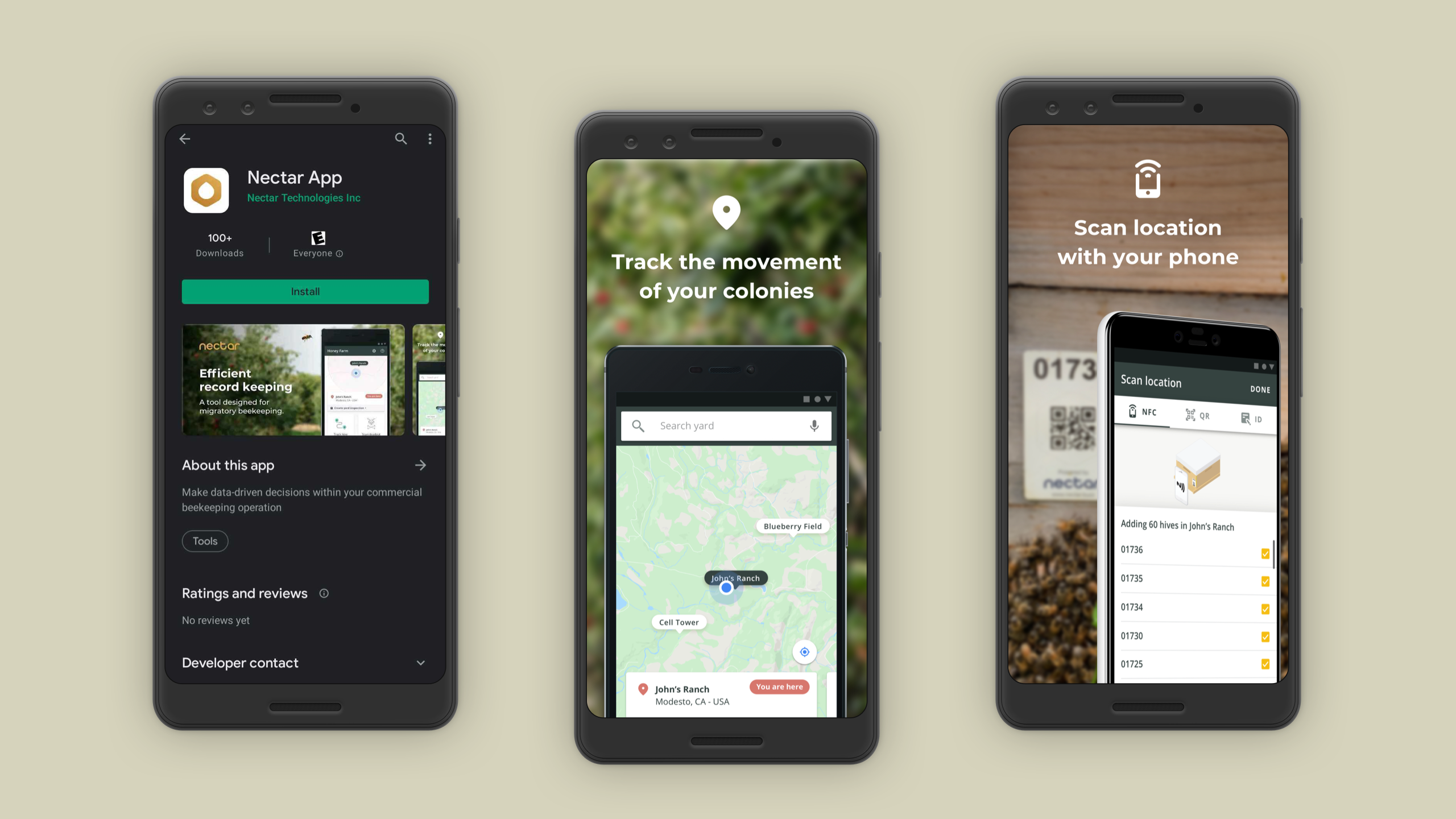
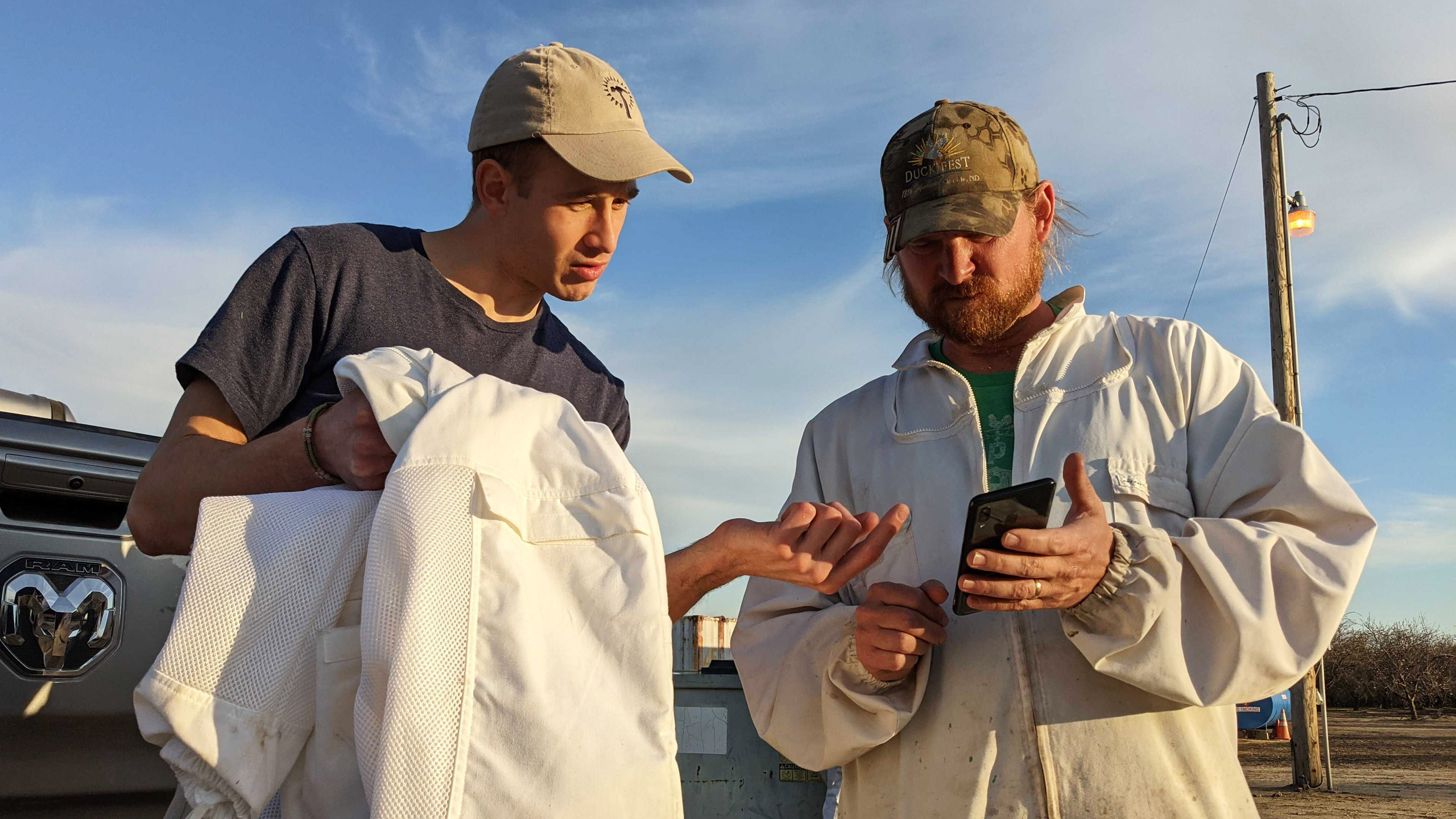
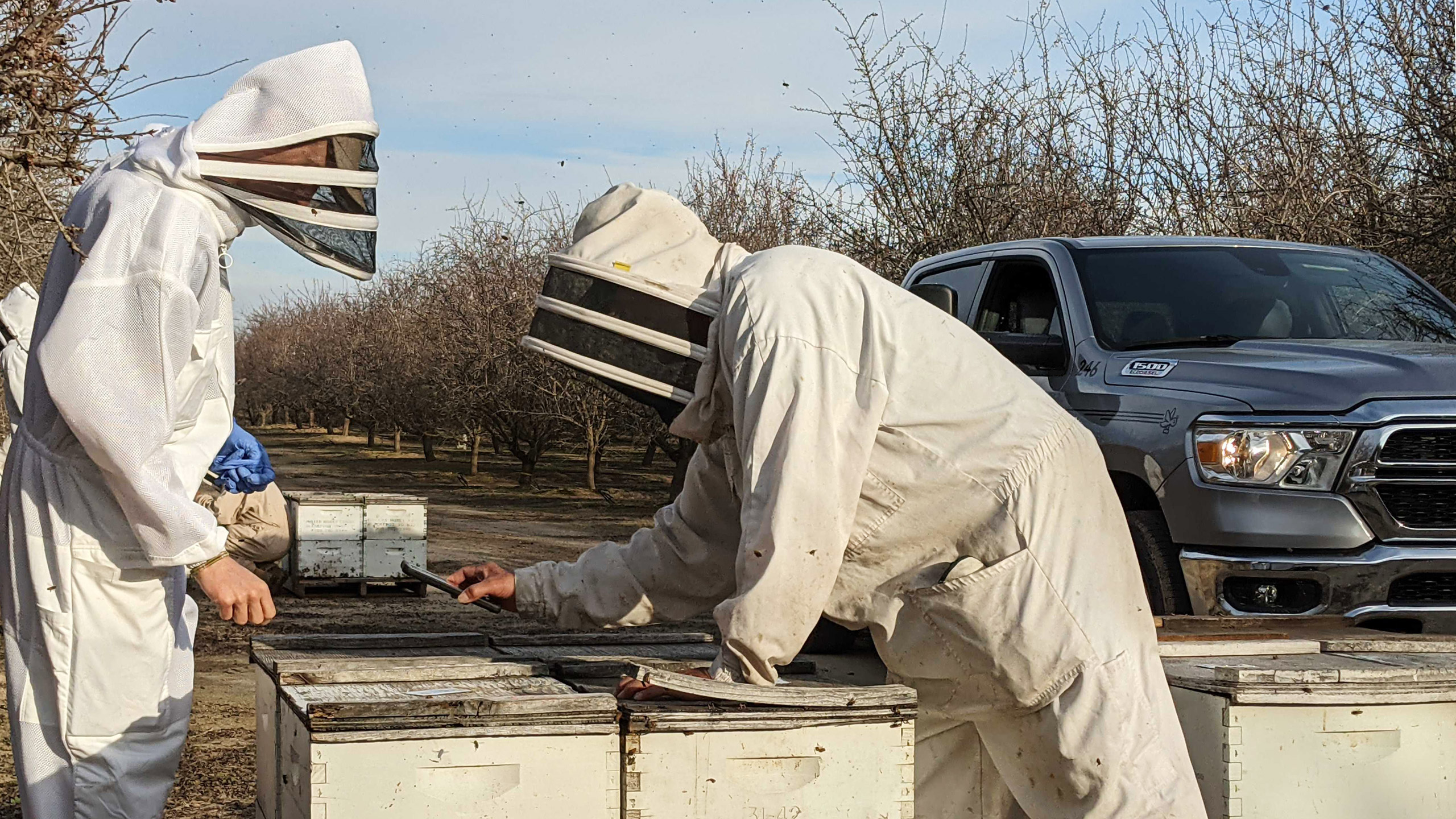
We released the first version on the Google Play Store on January 22, 2021. The app is available in both English and Spanish. We were able to test and deploy the product in time for the almond pollination season as planned. Some team members flew to California to meet and observe the deployment. BeeTrack users were successfully onboarded and were generally quite comfortable collecting data with the device.
At the time of it's release, it was too early to tell if the product could make correlations with locations and mortality rates. The goal was to start collecting data and perhaps in the near future, Nectar could start marking correlations and even predictions.
Challenges and next steps
We’ve faced numerous challenges during our testing period and we already went back to the drawing board. During the deployment, we recognized the scanning process to be frustrating for the field workers. We also observed the QR scan to be much faster than the default NFC. Another challenged we faced was our default 45m radius for yards appeared to be too big, especially when in pollination season hives are distributed in small groups close by (called drops), and as a result, created overlapping yards.
We are hoping to bring more value for field workers by introducing yards and hive history in an upcoming release. We also made some quick changes such as switching the default scan mode to QR and reducing the yard radius to 10m.
As for the next steps, the priority will be to lead user interviews and usability tests to better understand how to further improve the app alongside developing an iOS version.
© Naomi Fontaine — Product Designer
© Naomi Fontaine — Product Designer
© Naomi Fontaine — Product Designer
© Naomi Fontaine — Product Designer
© Naomi Fontaine — Product Designer